Download
Windows 10 / 11 · 64-bit
Unreal Engine 5.8
Free on your own hardware. Open where it counts.
One installer. Every set.
Latest release
The installer needs no administrator rights. The hub asks for them once, only when it writes into an engine under Program Files. Windows may ask you to confirm the first run of software from a new publisher.
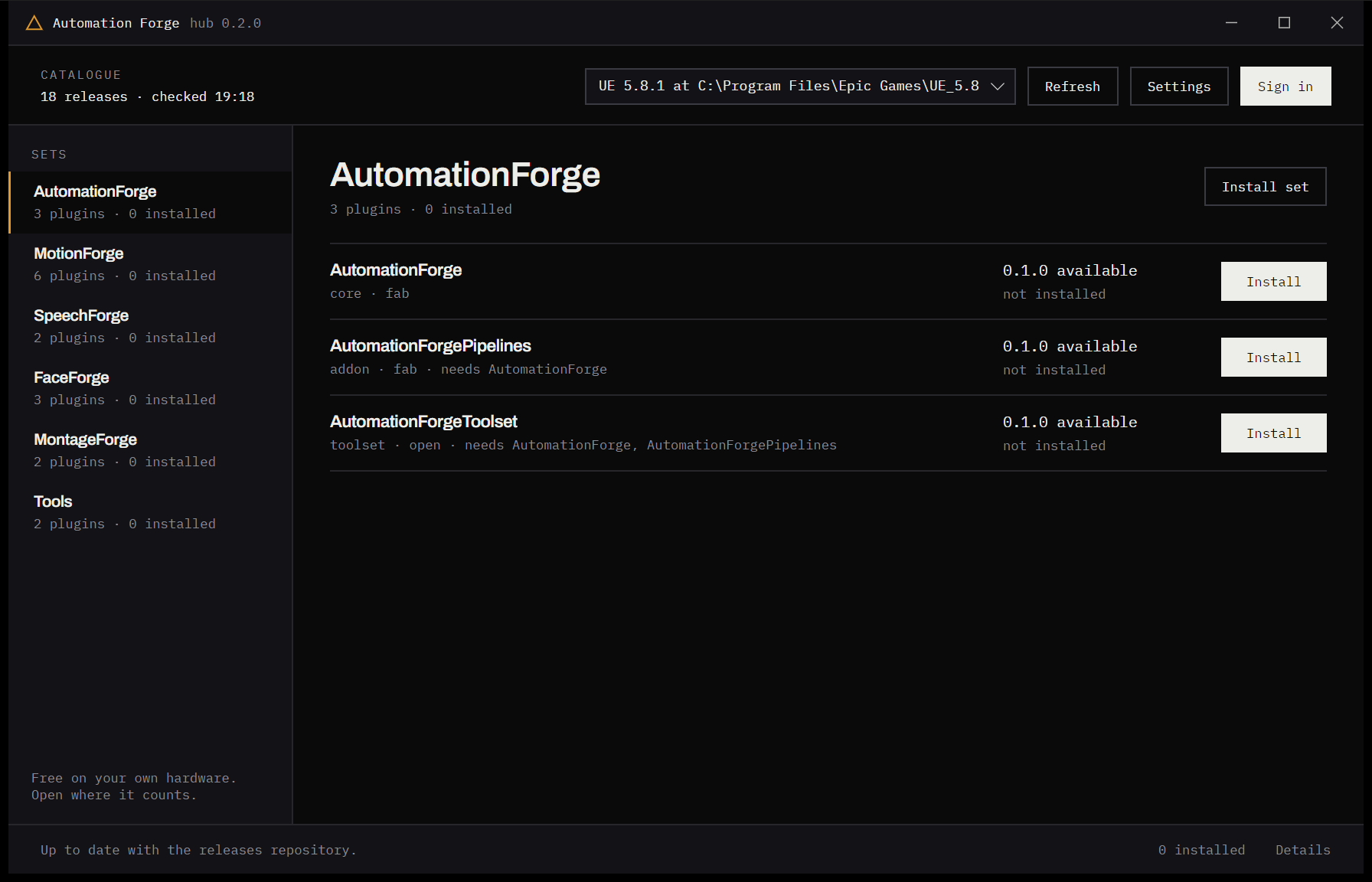
How it goes
Six steps, the last of which repeats.
01
Install the hub
One installer, no administrator prompt. It finds every Unreal Engine on the machine by itself.
02
Pick an engine, or a project
Sets install into Engine/Plugins/AutomationForge — or into a project’s own Plugins folder, if you would rather keep them with the game.
03
Install a set
A set is a core, its providers, its add-ons and its toolsets, dependencies first. The editor’s Plugins window lists them like any other plugin.
04
Enter a key once
A Runpod key or a Hugging Face token is an account you have, not something a plugin owns — so the hub keeps them in one place, in the operating system’s credential vault, shared by every set that needs them. It also says what a key alone does not buy: some models need their terms accepted or access requested, and a token without that grant installs perfectly and fails later.
05
Start a runner
Some providers run a model on your own machine in a container, or on a GPU rented by the hour. The hub starts and stops them, says whether one is answering and what a rented one is costing right now — so nothing bills overnight because a window was closed.
06
Stay current
The hub watches from the tray and says when a newer release exists — for the plugins and for itself. Nothing installs without you.
Prefer a terminal
The same core, as a command.
forge is the hub without the window: the installer, the updater and the channel switch, for scripts, CI and the agents working beside you. The hub itself runs it when an engine needs administrator rights, so both surfaces install exactly the same bytes and keep the same receipts.
forge engines                  the Unreal installations on this machine
forge install motionforge      a set, dependencies first
forge install FaceForge --project C:\Games\MyGame
forge update                   everything on a target to its latest
forge channel nightly          follow the nightly builds
Also
The same executable without an installer.
For scripts, CI and agents. The hub without the window.
SHA-256 of every file, published with each release.
Release notes, nightlies, and earlier versions.
The hub, the CLI and the manifest, on GitHub.